 ftpGrid menu
How to move your FTP server to cloud (step-by-step)
Published 2026-04-25 12:26:32.929145 by Carsten Blum
Running your own FTP server works — until it becomes difficult to maintain, scale, and secure.
If you're dealing with storage limits, failed transfers, or increasing maintenance, moving to a cloud FTP setup is often the simplest solution.
In this guide, we’ll walk through how to move from a self-hosted FTP server to a modern cloud-based setup.
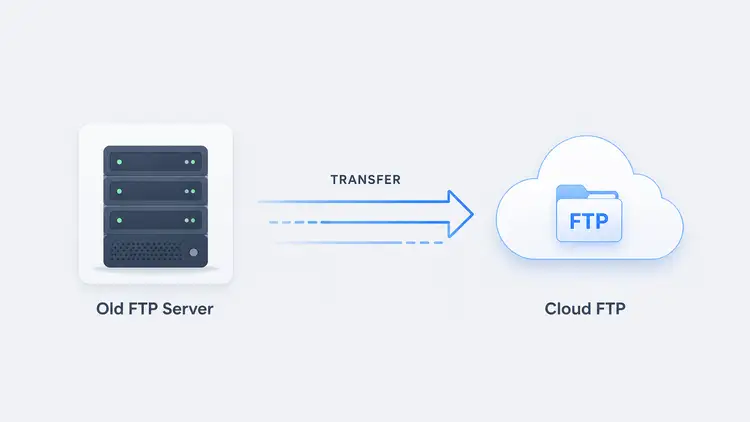
Why move FTP to the cloud?
Most teams don’t migrate because they want to — they do it because they have to.
Common reasons include:
Running out of storage
Increasing maintenance time
Performance issues under load
Security concerns
If this sounds familiar, you’re not alone.
(→ See common issues: https://ftpgrid.com/tutorials/self-hosted-ftp-scaling-problems/)
A cloud FTP solution removes these limitations by providing managed infrastructure designed for file transfers.
What you need before starting
Before migrating, make sure you have:
Access to your current FTP server
A list of users and credentials
Overview of stored files and structure
Backup of critical data
If backups are part of your setup, this guide can help:
→ https://ftpgrid.com/tutorials/cloud-ftp-for-backups/
Step 1: Set up your cloud FTP environment
Start by creating a new environment using a cloud FTP service.
This gives you:
Managed infrastructure
Scalable storage
Secure access (SFTP/FTPS)
You can get started quickly with a simple cloud FTP setup.
Step 2: Configure secure access
Modern cloud setups should always use secure protocols.
Instead of plain FTP, configure:
This ensures your data is protected during transfer.
Step 3: Migrate your files
Next, move your existing files.
You can do this using:
FTP/SFTP clients
Command-line tools
Sync scripts
For larger datasets, it’s often best to migrate in batches.
A cloud FTP server can handle large transfers without the limitations of local infrastructure.
Step 4: Recreate users and permissions
Set up users in your new environment.
Most platforms allow you to:
Create multiple FTP accounts
Assign read/write permissions
Restrict access to specific directories
Using a cloud FTP hosting platform makes this process much easier to manage.
Step 5: Update integrations and workflows
If your FTP server is used by other systems, update integrations to point to your new environment.
This may include:
Backup jobs
Scheduled exports
Application uploads
Once updated, test everything to ensure transfers work as expected.
Step 6: Monitor and validate
Before shutting down your old server, monitor the new setup:
Check file integrity
Verify scheduled jobs
Confirm user access
Running both systems in parallel for a short period can reduce risk.
Step 7: Decommission your old FTP server
Once everything is stable, you can safely shut down your old server.
This removes:
Maintenance overhead
Security risks
Infrastructure costs
At this point, you’re fully running on a managed cloud FTP solution.
Common mistakes to avoid
When migrating, watch out for:
Skipping backups before transfer
Forgetting to update integrations
Using insecure protocols
Migrating everything at once without testing
Taking a structured approach makes the process much smoother.
Benefits after migration
After moving to cloud FTP, most teams notice immediate improvements:
Better performance
No storage limits
Reduced maintenance
Improved reliability
With cloud FTP storage, scaling becomes effortless.
Conclusion
Migrating from a self-hosted FTP server doesn’t have to be complex.
With the right approach, you can move to a cloud FTP setup quickly and start benefiting from better performance, security, and scalability.
Explore cloud FTP and simplify your file transfer infrastructure today.