Sync FTP Storage to Azure Blob Storage Automatically
Automatically copy or mirror files between ftpGrid and Azure Blob Storage.
Perfect for backups, data pipelines, and long-term storage.

Many teams still rely on FTP servers for automated file delivery, backups, and data exchange. But long-term storage, durability, and analytics often live in Azure.
ftpGrid Cloud Integration lets you automatically sync files between FTP storage and Azure Blob Storage without writing scripts or running cron jobs.
Use it to: Back up FTP files to Azure, move processed files into Azure pipelines, archive data to cheaper long-term storage and integrate legacy FTP workflows with modern cloud systems
Read our guide on getting started with FTP to Azure Blob Storage on
the tutorials page.
Common use cases
FTP Backup to Azure
Automatically copy uploaded files to an Azure Blob container for long-term storage.
Data pipelines
Move FTP uploads into Azure workflows, analytics tools, or ETL pipelines.
File archiving
Store historical files in Azure while cleaning up FTP storage automatically.
Legacy system integration
Many systems still output files via FTP — syncing to Azure lets you integrate them with modern cloud infrastructure.
What ftpGrid Cloud Integration Can Do
Cloud Integration supports four synchronization modes
-
Copy from ftpGrid → external cloud
Files uploaded via FTP/SFTP will automatically be copied to your Azure container.
No files are deleted. -
Copy from external cloud → ftpGrid
Azure => ftpGrid
Files uploaded to Azure will be synchronized into your ftpGrid storage. -
Mirror ftpGrid → external cloud
ftpGrid => Azure (mirror)
Files removed from ftpGrid will also be deleted from Azure.
This keeps both systems fully synchronized. -
Mirror external cloud → ftpGrid
Azure => ftpGrid (mirror)
The ftpGrid storage becomes an exact mirror of the Azure container.
Many teams still rely on FTP servers for automated file delivery, integrations with legacy systems, or scheduled exports from business software. FTP remains a simple and widely supported way to move files between systems. However, modern infrastructure often relies on cloud storage such as Azure Blob Storage for durability, scalability, and integration with analytics or data pipelines. Bridging these two worlds is where FTP to Azure Blob Storage synchronization becomes useful.
With ftpGrid’s FTP to Azure Blob Storage sync feature, you can automatically transfer files between your FTP storage and an Azure container without writing scripts or maintaining custom automation. Files can be copied or mirrored in the background as changes happen, allowing teams to integrate traditional FTP workflows with modern cloud storage.
This makes it possible to use ftpGrid as a reliable entry point for files while storing or processing them in Azure. For example, files uploaded by external systems or clients via FTP can automatically be copied to Azure for long-term storage, analytics pipelines, or integration with other Azure services. Instead of building fragile cron jobs or custom scripts, synchronization rules can be configured directly in ftpGrid.
The integration is flexible enough to support several common scenarios. Some teams use it to create automated backups by copying FTP files to Azure for safe storage. Others mirror entire directories to keep FTP storage and Azure containers synchronized. This can also be combined with cleanup rules so older files are removed from FTP storage once they have been safely transferred to Azure, helping reduce storage usage while keeping historical data available in the cloud.
Because Azure Blob Storage is widely used for data lakes, machine learning workflows, and serverless processing, syncing FTP storage to Azure can also act as a bridge between legacy file transfer systems and modern cloud architectures. Systems that only support FTP can continue operating as they always have, while the data becomes instantly available inside Azure.
ftpGrid handles the transfer process in the background, allowing you to keep existing workflows intact while extending them into the cloud. Whether you need a simple FTP backup to Azure, automated file distribution to Azure services, or a reliable way to integrate legacy systems with cloud storage, FTP to Azure synchronization provides a practical and scalable solution.
FTP hosting features
File sharing & web access | |
|
→ HTTPS file sharing |
Share files directly via secure HTTPS links, similar to WeTransfer |
|
→ File hosting & sharing |
Secure file hosting with browser access for sharing and downloads |
|
→ Fast CDN |
Static downloads and HTTPS shares are served via global CDN |
Protocols | |
|
→ FTP |
Supports regular FTP protocol |
|
→ FTPS |
Supports explicit FTP with SSL over port 21 |
|
→ SFTP |
FTP over SSH tunnel, very secure and highly recommended |
|
→ SCP |
SCP command, mostly replaced by SFTP commands |
Authentication & access control | |
|
→ Password |
Although not recommended, we support password based authentication |
|
→ SSH-ED25519 |
Keybased authentication using SSH-ED25519 - recommended |
|
→ ECDSA-SHA2-NISTP256 |
Keybased authentication using ECDSA-SHA2-NISTP256 |
|
→ SSH-RSA |
Keybased authentication using SSH-RSA |
|
→ Access privileges |
Create RW (read-write) or RO (read-only) storage accounts |
|
→ Chroot to home directory |
Each storage account can be restricted to a specific folder |
|
→ User suspension |
Temporarily disable storage accounts without deleting them |
Storage & data management | |
|
→ Multiple accounts |
We support up to 500 FTP (SFTP) accounts per customer |
|
→ Automatic cleanup |
Create cleanup rules to periodically delete old files |
|
→ Storage account usage |
View individual account usage |
Cloud integrations | |
|
→ AWS S3 sync |
Synchronize your ftpGrid storage to and from AWS S3 storage |
|
→ Azure Blob Storage sync |
Synchronize your ftpGrid storage to and from Azure Blob Storage |
|
→ Cloud storage proxy |
Use ftpGrid as a synchronization proxy between AWS S3 and Azure Blob |
Monitoring & alerts | |
|
→ Monitor storage |
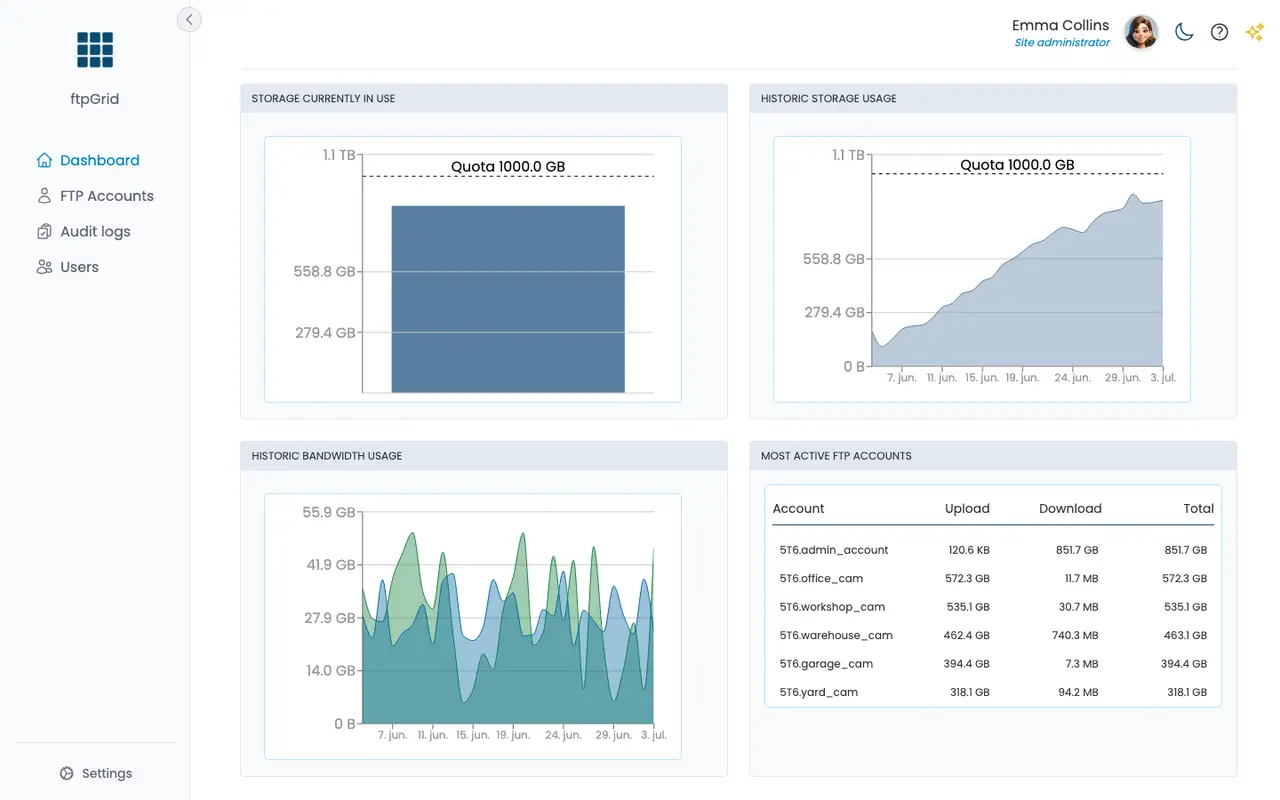
Monitor your realtime storage usage vs your quota using graphs |
|
→ Monitor bandwidth |
Monitor your realtime bandwidth using graphs |
|
→ Historical storage |
View your historical storage usage using graphs |
|
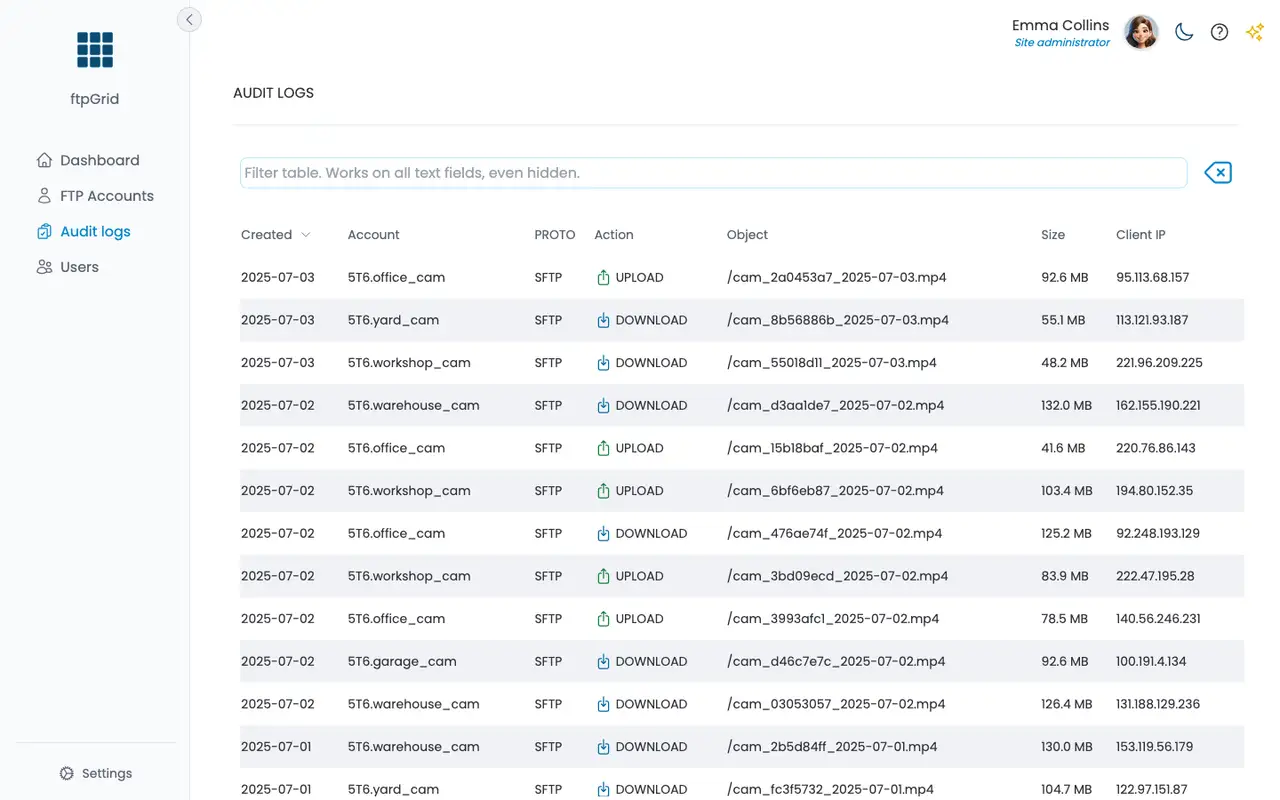
→ Audit logging |
All transactions are logged using IP and geo-location |
|
→ Email alerts |
Receive email notifications for quota limits or suspicious logins |
API & automation | |
|
→ API access |
Progam storage integration with SFTP API or REST API |
Infrastructure | |
|
→ High availability |
Redundant architecture with automatic failover |
|
→ Data replication |
Data is replicated across multiple regions for reliability |
Security & compliance | |
|
→ Encryption at rest |
All stored data is encrypted using AES-256 |
|
→ Encryption in transit |
TLS 1.3 used for all connections |
|
→ Data isolation |
Each customer’s data is isolated from others in separate containers |
|
→ GDPR compliant |
Hosted in EU with no data scanning, sharing or resale |
Platform & experience | |
|
→ Dashboard |
Simple web dashboard for managing accounts and usage |
|
→ Instant setup |
Your FTP server is ready within seconds after signup |
|
→ Email support |
Get help directly from the development team |
|
→ Free tier |
Try ftpGrid for free with 100MB of storage included |
|
→ No ads or trackers |
We never inject tracking scripts or share analytics data |
|
→ No data harvesting |
We never mine, track, or sell your data. |
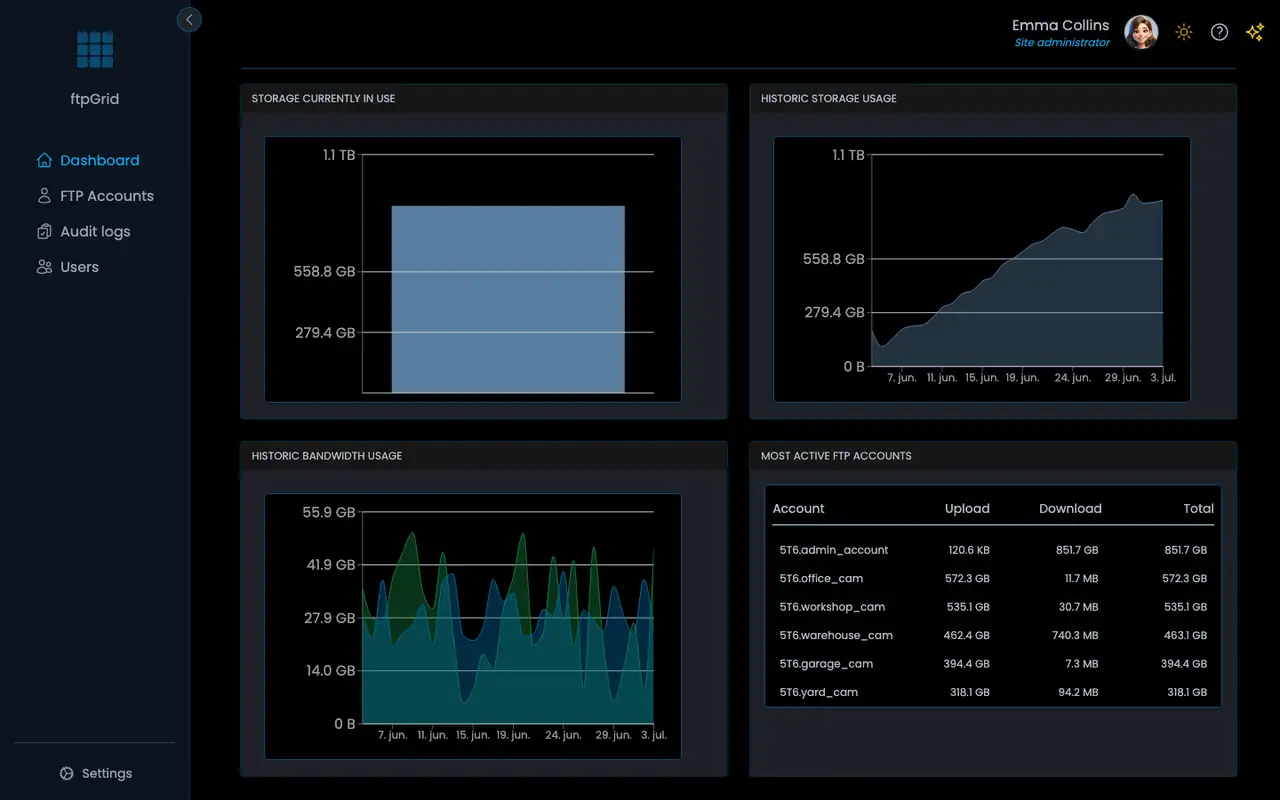
Dashboard with statistics at a glance
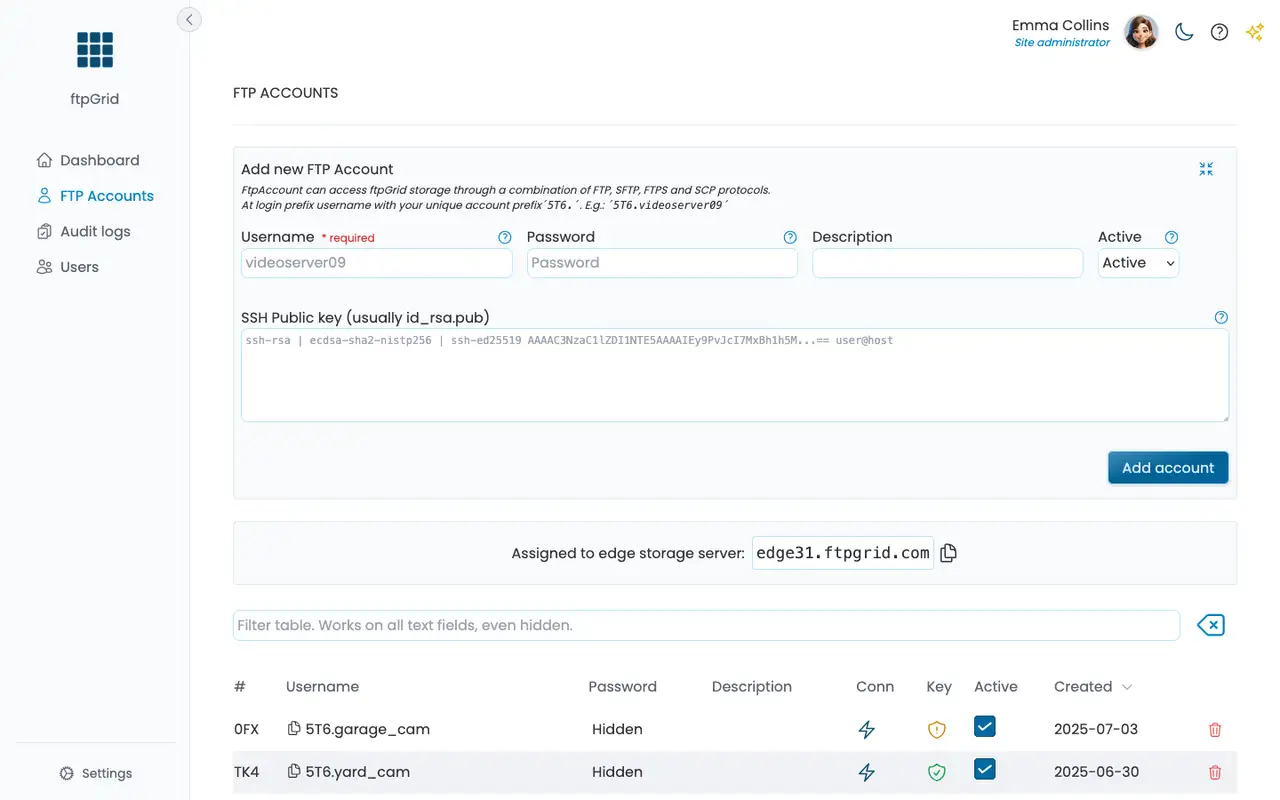
Create FTP accounts in 5 seconds
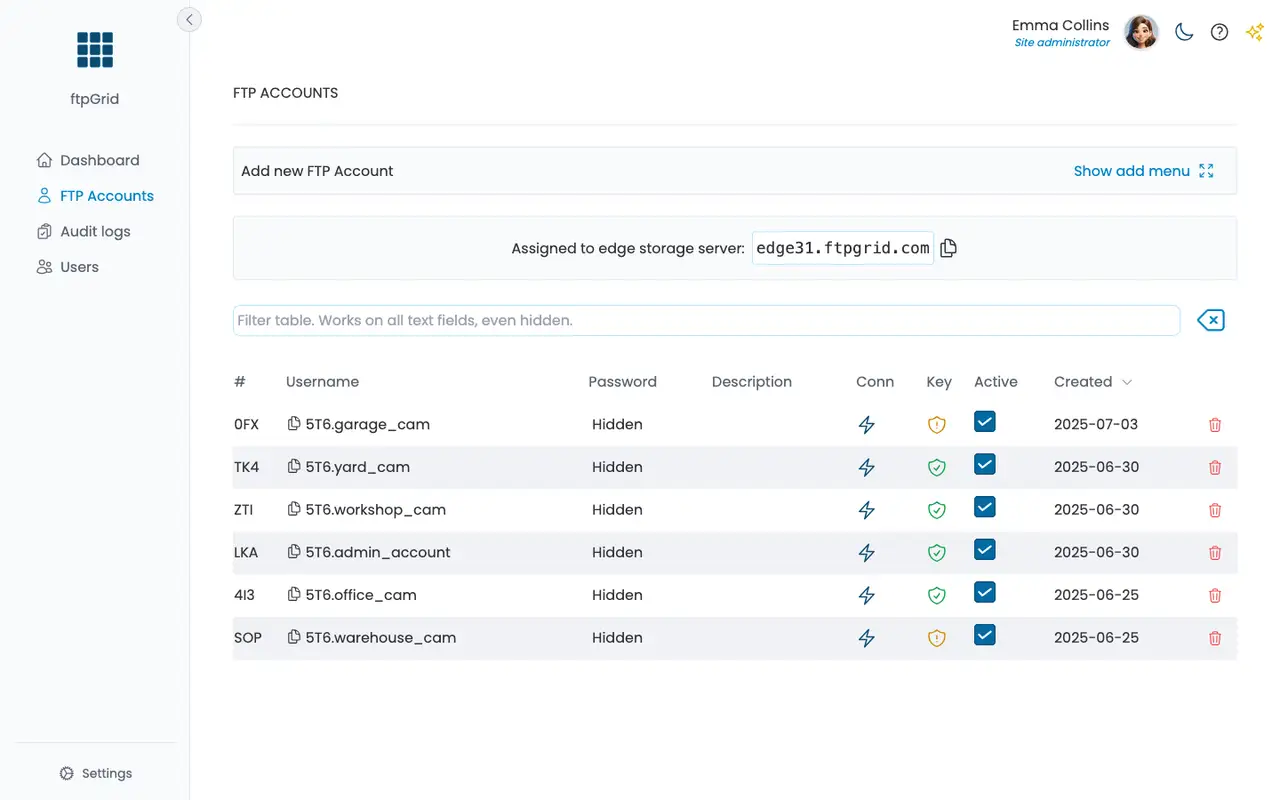
Simple account overview
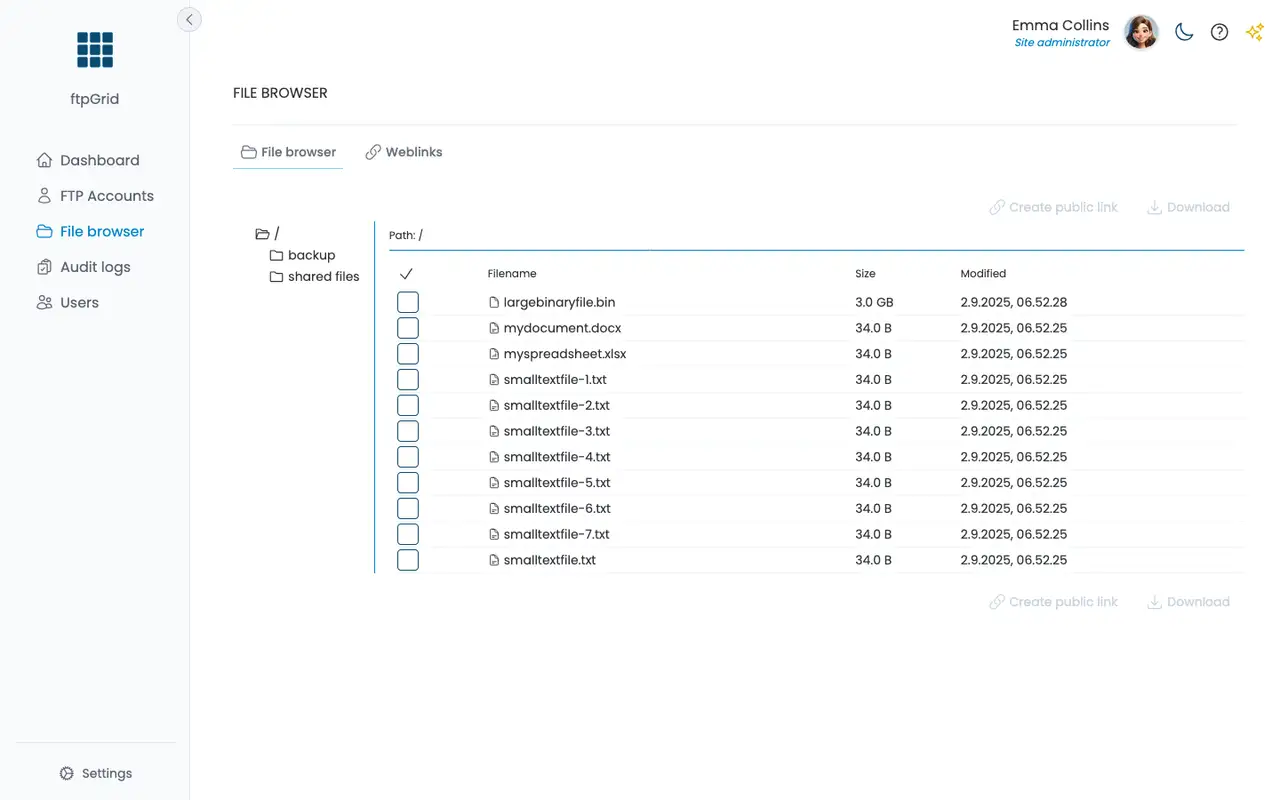
Webbased filebrowser and public file sharing
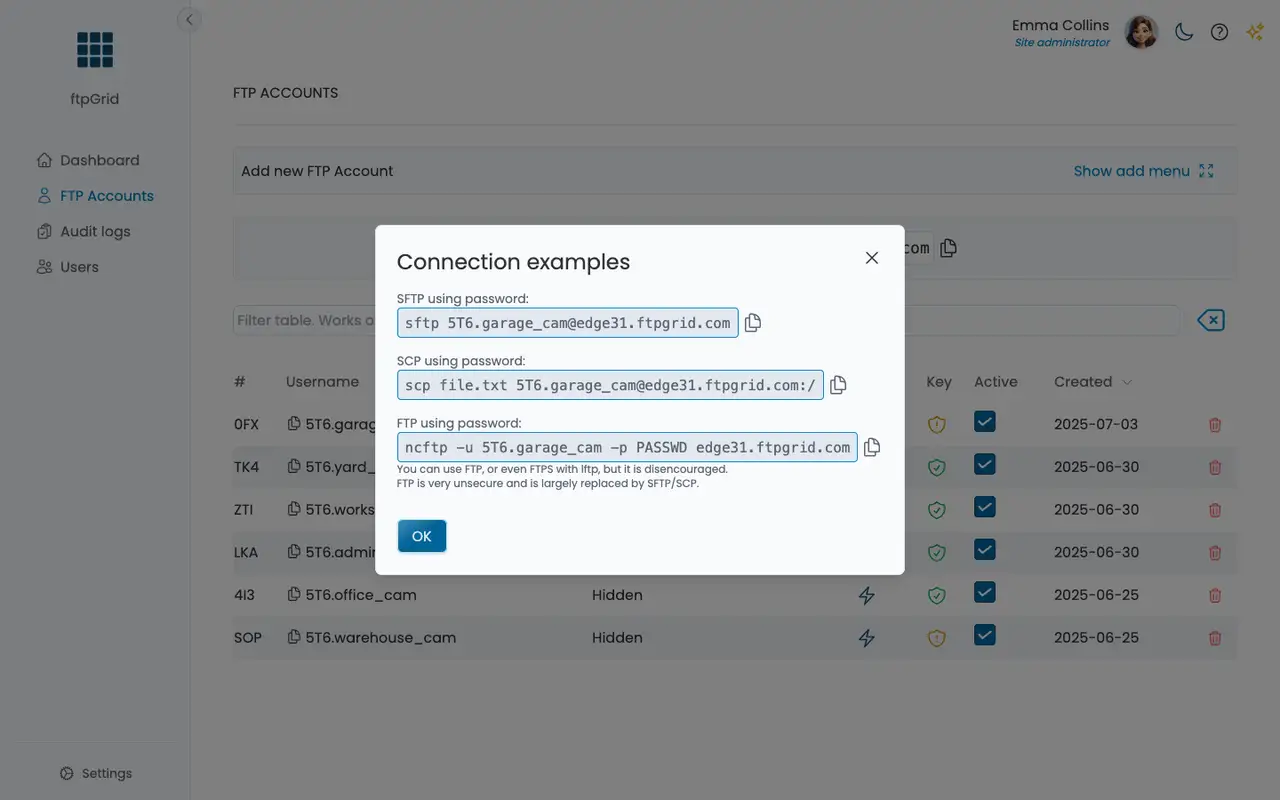
FTP and SFTP copy/pastable connection tips
Full audit logging on your transactions
Supports dark mode
Simple, predictable pricing
Pay for what you use - no surprises.
Upgrade anytime as your usage grows.
Start for free. No credit card required
Free
€0 / Month
CAPACITY:
- 100Mb storage
- 1Gb bandwidth
- 4 connections
ACCESS:
- 1 FTP account
features:
- Audit log
- Public link share
Support and data:
- Helpdesk
- No data mining. Ever.
Cancel anytime
Starter
€19 / Month
CAPACITY:
- 10Gb storage
- 300Gb bandwidth
- 30 connections
ACCESS:
- 5 FTP account
- Chroot account
- RW & RO accounts
features:
- AWS S3 integration
- Azure Blob integration
- Auto cleanup rules
- Audit log
- Public link share
Support and data:
- Helpdesk
- Email support
- No data mining. Ever.
Cancel anytime
Professional
€49 / Month
CAPACITY:
- 50Gb storage
- 3Tb bandwidth
- 60 connections
ACCESS:
- 20 FTP account
- Chroot account
- RW & RO accounts
features:
- AWS S3 integration
- Azure Blob integration
- Auto cleanup rules
- Audit log
- Public link share
- File hosting & sharing
Support and data:
- Helpdesk
- Email support
- No data mining. Ever.
Cancel anytime
Business
Most popular
€129 / Month
CAPACITY:
- 250Gb storage
- Unlimited bandwidth
- Unlimited connections
ACCESS:
- 100 FTP account
- Chroot account
- RW & RO accounts
features:
- AWS S3 integration
- Azure Blob integration
- Auto cleanup rules
- Audit log
- Public link share
- File hosting & sharing
Support and data:
- Helpdesk
- Email support
- No data mining. Ever.
Cancel anytime
Enterprise
€299 / Month
CAPACITY:
- 1000Gb storage
- Unlimited bandwidth
- Unlimited connections
ACCESS:
- 500 FTP account
- Chroot account
- RW & RO accounts
features:
- AWS S3 integration
- Azure Blob integration
- Auto cleanup rules
- Audit log
- Public link share
- File hosting & sharing
- Team members
Support and data:
- Helpdesk
- Email support
- Phone support
- No data mining. Ever.
Cancel anytime
When you choose ftpGrid, you’re choosing more than storage, you’re choosing privacy, integrity, and full control. We run 100% on European-owned infrastructure, with no tracking, ads, or analytics, and we’ll never sell your data.
Read more about pricing and plans here.
All prices are excluding 25% VAT, where applicable. We charge in Euro (€), but your bank will automatically convert your local currency.
For reference, €9 is approximately $10 – the Euro and US dollar are currently close in value.