 ftpGrid menu
Secure SFTP access without maintaining SSH servers
Cloud SFTP server without infrastructure management
A cloud SFTP server gives you a secure, ready-to-use SFTP endpoint without managing Linux servers, OpenSSH or firewall infrastructure.
With ftpGrid, you can launch a fully managed cloud SFTP server in seconds and connect instantly using SFTP, SCP or secure SSH key authentication.
Built for production environments where security, uptime and operational stability matter. Reliable encrypted transfers without fragile server setups.
Use it for ERP integrations, automated workflows, secure backups and business file exchange — without worrying about server maintenance or SSH configuration.
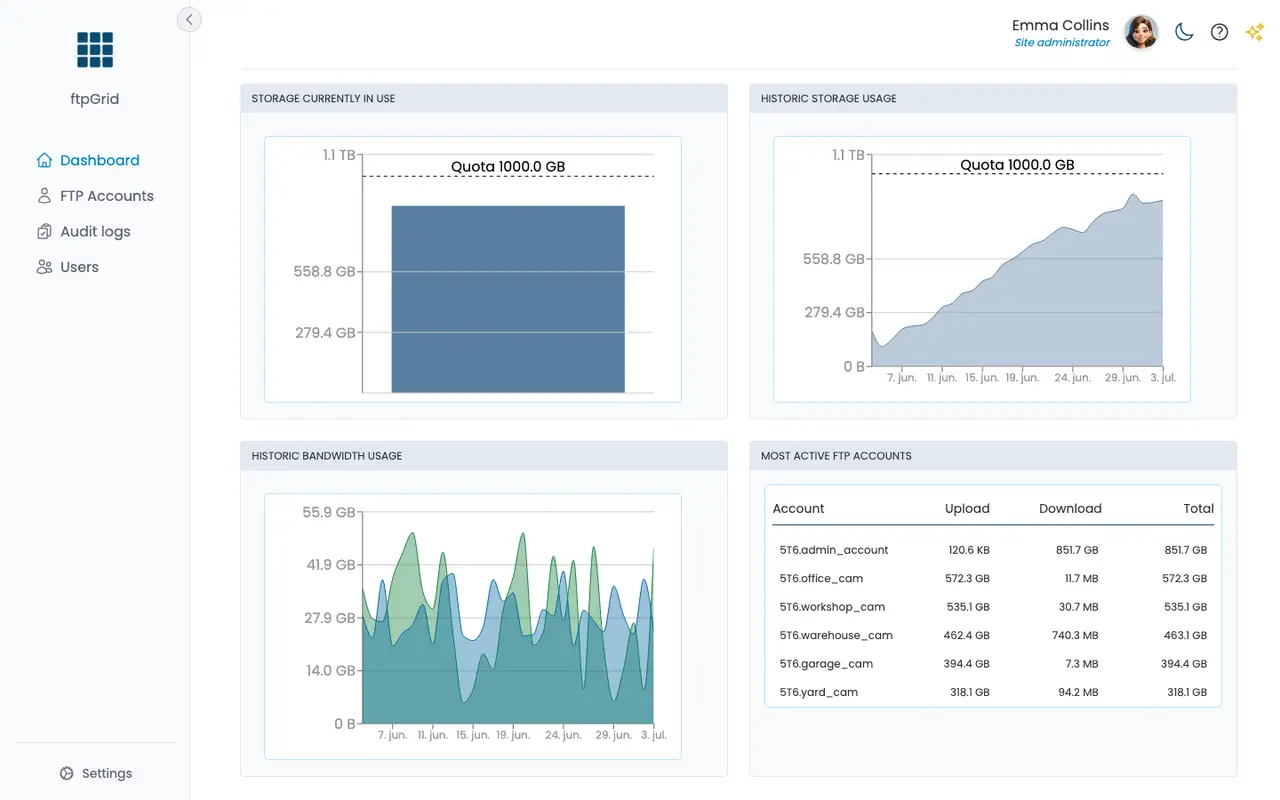
ftpGrid core values
Instant SFTP server
No SSH setup required
Launch a secure cloud SFTP server instantly without installing OpenSSH, configuring Linux servers or managing infrastructure.
Modern SSH authentication
Keys & passwords supported
Support for SSH-ED25519, ECDSA-SHA2-NISTP256, SSH-RSA and traditional username/password authentication.
Encrypted by default
Secure transfers & storage
All SFTP traffic is encrypted in transit while stored data is protected using AES-256 encryption at rest.
Fully managed platform
No maintenance
No updates, patching or SSH server monitoring required. Infrastructure operations are fully managed.
Enterprise compatibility
SFTP & SCP workflows
Works with standard SFTP clients, enterprise integrations, automation scripts and legacy SCP-based tooling.
Production-ready reliability
Stable under load
Reliable encrypted transfers and predictable performance for large-scale business workflows and automation.
Everything you need to know
What is a cloud SFTP server?
A cloud SFTP server is a managed secure file transfer endpoint hosted in the cloud. It allows organizations to transfer files securely over SSH without operating their own OpenSSH infrastructure.
Cloud SFTP server vs self-hosted SFTP server
| Feature | Self-hosted SFTP server | Cloud SFTP server |
|---|---|---|
| SSH server setup | Manual installation & configuration | Ready instantly |
| Security maintenance | Internal responsibility | Managed platform |
| Authentication management | Custom SSH configuration | Built-in support |
| Encryption | Depends on configuration | Enabled by default |
| Reliability | Depends on infrastructure | Built for production workloads |
| Operational overhead | High | Minimal |
Why use a cloud based SFTP server?
Operating secure file transfer infrastructure internally requires ongoing server administration, patching and security management. A cloud SFTP server removes that operational complexity while keeping compatibility with standard SFTP workflows and enterprise systems.
Built for secure business file transfers
ftpGrid is designed for organizations where secure file exchange is part of daily operations. It provides stable encrypted connectivity for automation, integrations, backups and business-critical workflows.
Support for modern SSH authentication
ftpGrid supports enterprise-friendly authentication methods including:
- SSH-ED25519 key authentication
- ECDSA-SHA2-NISTP256 keys
- SSH-RSA compatibility
- Username and password login
- SCP support for existing workflows
Designed for integrations and automation
Use your cloud SFTP server as a secure backend for scripts, ERP systems, applications and automation platforms. If your systems already support SFTP or SCP, they connect immediately without custom APIs or migration work.
Part of the cloud SFTP platform
This server solution is part of the cloud SFTP platform, combining secure storage, managed infrastructure and encrypted file transfers in one system.
Explore cloud SFTP options
Trusted by production companies, agencies and growing businesses worldwide
Why businesses choose ftpGrid
ERP & finance integrations
Provide secure SFTP endpoints for invoices, EDI files and business data exchange
”Automated business workflows
Run scheduled synchronization jobs, exports and unattended secure file transfers
”Secure partner communication
Exchange files safely between suppliers, customers and external business systems
”Replacing self-hosted OpenSSH
Move away from internally managed SFTP servers and operational overhead
”Encrypted backup transfers
Transfer database dumps, backups and operational files using secure encrypted connections
”Compliance-sensitive file exchange
Use encrypted transport and secure authentication for regulated business environments
”